
Expense tracker app for iPhone Control your money. Without typing a thing.
Free · No account · Stays on your iPhone

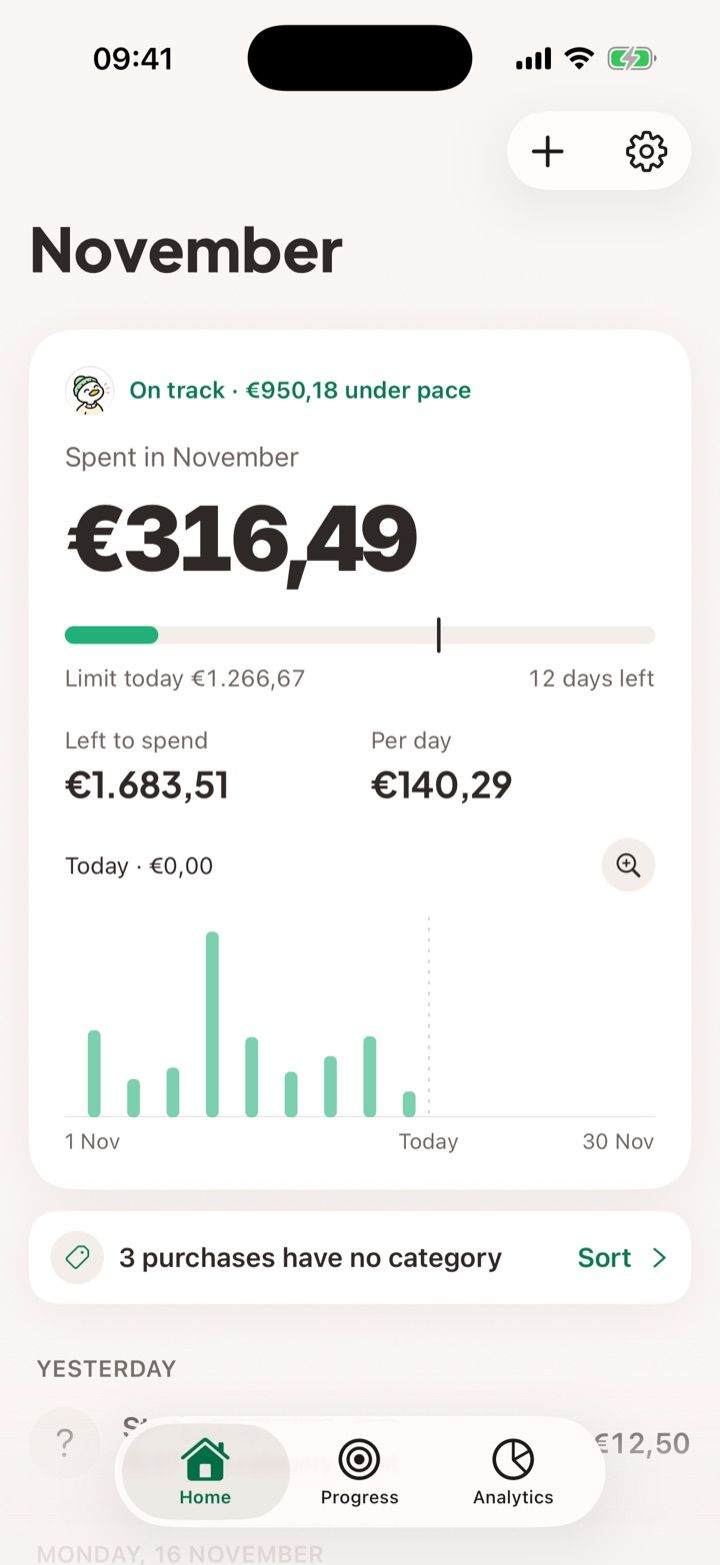
Pay as usual.
It’s already in.
A Shortcuts automation sends each Apple Pay payment to PigPocket: the amount, the shop and the card. Open the app and it’s there, totals included.
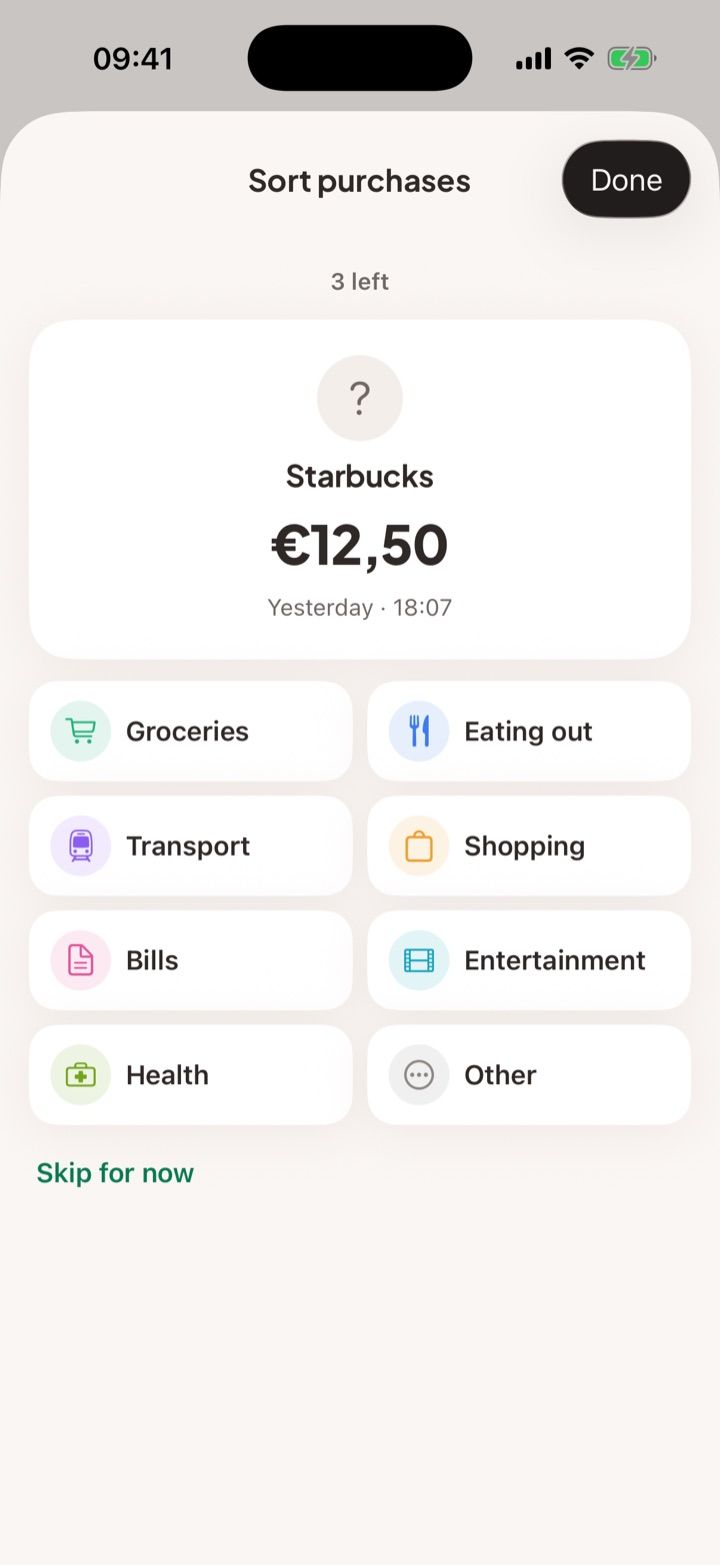
Tidy up in seconds.
One tap per purchase.
Purchases without a category wait in one place. Tap a category and the next one appears, with every other purchase from the same shop filed at once.
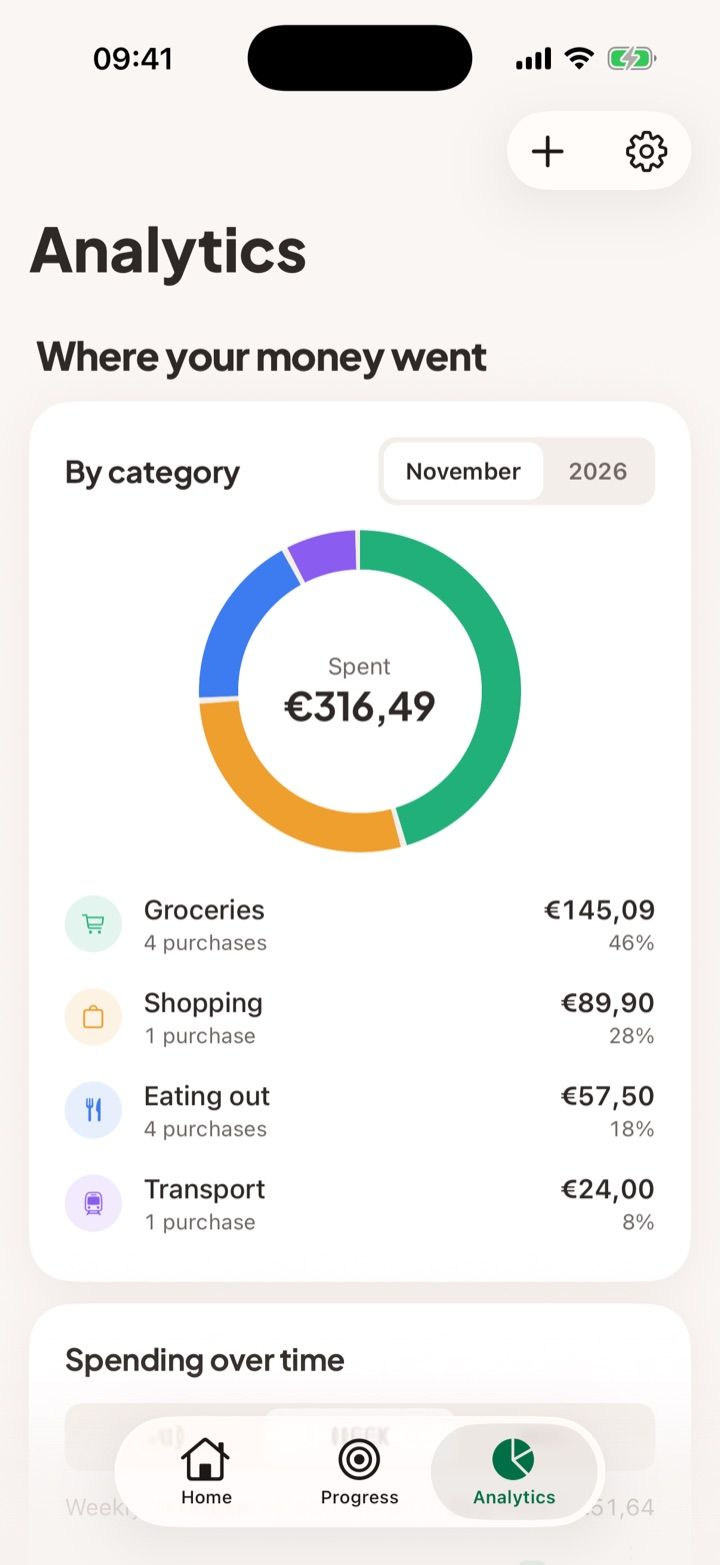
See where it went.
Without spreadsheets.
Spending by category, by week and by month, and how this year compares. Goals and monthly plans show how much is left before payday.
A duck that cheers you on.
Never one that scolds.
Your mascot shows how the month is going: calm when you’re on pace, celebrating when you save. Prefer a bunny? Pick one in Settings.
-
 On track
-
 Saved this month
-
 Worth a look
-
No account
Your purchases, plan and goals live on your iPhone. There’s nothing to sign up for.
-
No ads, no tracking
PigPocket never sells or shares what you spend. Usage stats are counts, never amounts or shops.
-
Yours to delete
Export to a spreadsheet or delete everything from Settings, any time.
Before you download
Can an app track my Apple Pay spending automatically?
Yes. On iOS 17 and later, a Shortcuts automation runs each time you pay with Apple Pay and sends the amount and the shop to PigPocket. You set it up once, in about two minutes. Read the guide →
Does PigPocket connect to my bank?
No. It never asks for bank logins or card numbers. Purchases arrive from your own iPhone through Shortcuts, and you can add cash or bank-transfer purchases by hand.
Is PigPocket free?
Everything is free during the beta. A Pro plan will come later, and you will always see the full price before paying.
How do I work out how much I can spend per day?
Take your monthly income, subtract fixed costs and what you want to save, subtract what you have already spent this month, then divide by the days left, today included. PigPocket keeps that number up to date for you. Read the guide →
Where is my data stored?
On your iPhone. There is no account and no server holding your purchases. You can export everything to a spreadsheet or delete it from Settings.
Can I save for a goal, like a trip?
Yes. Create a goal with a target and an optional date. What you save each month moves it forward, and the mascot celebrates at 25, 50, 75 and 100 per cent. Read the guide →
Does it find my subscriptions?
When the same shop charges you every week, month or year, PigPocket suggests it as a subscription and shows what it costs per month and per year, including price rises. Read the guide →
Does it work in Spanish and in euros?
Yes. PigPocket is in English and Spanish, and it works in your local currency.
Free during the beta.
Try PigPocket on TestFlight and tell us what you’d change.
Join the beta